Air cooling uses a heat sink and fans to release heat into the air and is simple, low-cost and low-maintenance; liquid cooling moves heat into a coolant and out to a radiator or chiller, removing far more heat in less space at higher cost and complexity. The same trade-off decides industrial and server designs, where ToneCooling supplies custom heat sinks and liquid cold plates.
When it comes to keeping your PC running smoothly, choosing the right cooling method plays a crucial role in maintaining performance.
Air cooling and liquid cooling are the two primary options available, each with its own strengths and limitations. Air cooling offers a straightforward and budget-friendly solution, while liquid cooling provides superior heat management for high-performance systems.
Your decision impacts not only the efficiency of your PC but also its longevity and noise levels. Understanding these cooling methods helps you make the best choice for your specific needs.
Overview


How Air Cooling Works
Components of an Air Cooling System
An air cooling system relies on two primary components: heat sinks and fans.
The heat sink, typically made of metal like aluminum or copper, absorbs heat from the CPU or GPU. Its design includes fins that increase surface area, allowing more heat to transfer to the surrounding air. Fans then blow this warm air away from the heat sink, preventing overheating.
Air cooled systems often include multiple fans to enhance airflow. These fans vary in size and speed, which can impact their efficiency. Larger fans tend to move more air at lower speeds, reducing noise levels. Smaller fans, while compact, may need to spin faster, potentially generating more noise.
The simplicity of these components makes air coolers a popular choice for many PC builders.
Heat Dissipation Process
The heat dissipation process in air cooled systems is straightforward. When your CPU or GPU generates heat, the heat sink absorbs it. The heat then travels through the fins of the heat sink, where it meets the airflow created by the fans. This airflow carries the heat out of the PC case, ensuring the internal components remain at safe operating temperatures.
However, air cooling systems have a limitation.
They tend to circulate heat within the case rather than expelling it entirely. This can lead to higher overall case temperatures, especially in compact builds or systems with poor ventilation.
Despite this, air coolers perform well for most standard tasks and moderate gaming setups.
Benefits of Air Cooling
Simplicity and Ease of Installation
Air coolers are known for their simplicity.
Installing an air cooling system requires minimal effort, making it an excellent choice for beginners. You only need to attach the heat sink to the CPU and secure the fan.
Most air cooled systems come with clear instructions, and you won’t need specialized tools or technical expertise.
This ease of installation saves time and reduces the risk of errors. Unlike liquid cooling systems, which involve pumps, tubes, and radiators, air coolers have fewer components. This simplicity also makes troubleshooting easier if something goes wrong.
Cost-Effectiveness for Budget-Conscious Users
Air cooling is one of the most budget-friendly options for keeping your PC cool. Air coolers are generally less expensive than liquid cooling systems due to their simpler design and manufacturing process.
For users building a PC on a tight budget, air cooled systems provide reliable performance without breaking the bank.
Additionally, air coolers require little to no maintenance, further reducing long-term costs. You won’t need to worry about replacing coolant or dealing with potential leaks. This affordability makes air cooling an attractive option for casual users and gamers alike.
Drawbacks of Air Cooling
Limited Cooling Capacity for High-Performance Systems
While air coolers work well for standard tasks, they may struggle with high-performance systems.
Overclocked CPUs or GPUs generate significant heat, which can exceed the cooling capacity of air cooled systems. In such cases, the system may throttle performance to prevent overheating, impacting your PC’s efficiency.
For users engaging in 4K gaming or resource-intensive rendering, air cooling might not suffice.
Liquid cooling systems, with their superior heat transfer capabilities, often perform better in these scenarios. However, for everyday use, air coolers remain a practical choice.
Potential for Higher Noise Levels
Air coolers can be noisier than liquid cooling systems.
The fans in an air cooling system need to spin faster to dissipate heat effectively, especially under heavy workloads. This increased speed can result in noticeable noise, which might be distracting in quiet environments.
Larger air coolers with multiple fans may mitigate this issue by operating at lower speeds. However, compact air cooled systems often prioritize performance over noise reduction.
If you value a silent PC, you might need to consider alternative cooling methods or invest in premium air coolers designed for quieter operation.
Understanding Liquid Cooling


How Liquid Cooling Works
Components of a Liquid Cooling System
A liquid cooling system relies on several key components to efficiently manage heat.
The water block is the primary element, directly attached to the CPU or GPU. It absorbs heat from these components and transfers it to the coolant.
The pump circulates the coolant through the system, ensuring continuous heat removal.
The radiator plays a critical role by dissipating the heat absorbed by the coolant.
Fans attached to the radiator enhance this process by expelling the heat into the surrounding air.
Other essential parts include tubes that connect the components and allow the coolant to flow seamlessly.
Some systems also feature a reservoir, which holds extra coolant and simplifies maintenance.
These components work together to create a closed-loop system, ensuring efficient cooling for your PC.
Custom-built water cooled PCs often use high-quality materials like durable tubing and specialized fittings to prevent leaks and enhance performance.
Heat Transfer Process
Liquid cooling operates on the principles of conduction and convection.
When your CPU or GPU generates heat, the water block absorbs it through direct contact. The coolant inside the block picks up this heat and flows through the tubes to the radiator. At the radiator, the heat transfers from the coolant to the surrounding air, aided by fans. The cooled liquid then returns to the water block, repeating the cycle.
This process is highly efficient because water has a higher specific heat capacity than air. It can absorb and transfer more heat, making water cooled systems ideal for high-performance tasks.
Unlike air cooling, liquid cooling systems expel heat outside the case, maintaining lower internal temperatures. This feature is particularly beneficial for compact builds or overclocked systems.
Benefits of Liquid Cooling
Superior Cooling Performance for Overclocking and High-End PCs
Liquid cooling excels in scenarios where traditional air cooling struggles. Overclocking generates significant heat, which can overwhelm air coolers.
A liquid cooling system handles this heat effectively, maintaining stable temperatures even under heavy workloads. This makes it a preferred choice for gamers, content creators, and professionals using resource-intensive applications.
Custom water cooling setups offer even greater flexibility. You can design these systems to target specific components, such as the CPU, GPU, or both. This level of customization ensures optimal performance for high-end PCs.
Water cooled systems also prevent thermal throttling, allowing your hardware to perform at its peak without interruptions.
Quieter Operation Compared to Air Cooling
Liquid cooling systems often operate more quietly than air cooling solutions. The fans in a water cooling setup run at lower speeds because the radiator dissipates heat more efficiently. Pumps in modern systems are designed to minimize noise, further enhancing the quiet operation.
For users who value a silent workspace or gaming environment, custom water cooling provides an excellent solution.
Unlike air coolers, which rely on multiple high-speed fans, liquid cooling reduces the overall noise levels while delivering superior performance. This balance between efficiency and quietness makes it a popular choice for noise-sensitive builds.
Drawbacks of Liquid Cooling
Higher Cost and Complexity of Installation
Liquid cooling systems come with a higher price tag compared to air cooling.
The advanced components, such as pumps, radiators, and water blocks, contribute to the increased cost.
Custom water cooling setups, in particular, require additional investment in specialized parts and tools.
Installation can be challenging, especially for beginners.
You need to carefully assemble and connect the components to avoid leaks. Pre-built kits simplify the process, but custom-built water cooled PCs demand technical expertise.
This complexity may deter users who prefer straightforward solutions.
Risk of Leaks and Need for Regular Maintenance
One of the primary concerns with liquid cooling is the risk of leaks.
Although modern systems use durable materials and secure fittings, improper installation or wear and tear can lead to coolant leakage. Leaks can damage your PC components, making regular inspections essential.
Maintenance is another factor to consider.
You need to monitor coolant levels, clean the radiator, and occasionally replace the coolant. Custom water cooling systems may require more frequent upkeep due to their tailored designs. While these tasks ensure optimal performance, they add to the overall effort and cost of using liquid cooling.
Comparing Air Cooling and Liquid Cooling


Performance
Cooling efficiency for gaming and high-performance tasks
When it comes to cooling performance, water cooling stands out as the more efficient option.
The liquid in these systems absorbs heat directly from the CPU or GPU and transfers it to the radiator, where fans expel it from the case. This process ensures lower temperatures, even during demanding tasks like gaming or video rendering.
Water cooling can handle the intense heat generated by high-clock speeds or overclocked components, making it ideal for gamers and professionals seeking optimal performance.
Air cooling, while effective for standard workloads, struggles to match the thermal efficiency of water cooling in high-performance scenarios.
Heat sinks and fans work together to dissipate heat, but they often circulate warm air within the case. This can lead to higher internal temperatures, especially in compact builds.
For casual gaming or everyday use, air cooling remains a reliable and practical cooling solution.
Thermal management for overclocking
Overclocking pushes your PC components beyond their factory settings, generating significant heat.
Water cooling excels in this area due to its superior thermal performance. The liquid coolant absorbs and removes heat faster than air, preventing thermal throttling and maintaining stable operation.
Custom water cooling setups allow you to target specific components, ensuring efficient heat management for both the CPU and GPU.
Air cooling, on the other hand, may struggle to keep up with the heat output of overclocked systems. High-end air coolers can provide decent results, but they often fall short compared to water cooling.
If you plan to overclock your PC, investing in a water cooling system ensures better stability and performance.
Cost
Initial investment for air cooling vs liquid cooling
Air cooling is the more budget-friendly option.
The simpler design of heat sinks and fans makes air coolers affordable for most users. You can find quality air cooling systems at a fraction of the cost of water cooling setups. This makes air cooling an excellent choice for those building a PC on a tight budget.
Water cooling, however, requires a higher initial investment.
The advanced components, such as pumps, radiators, and water blocks, contribute to the increased cost. Custom water cooling systems, in particular, demand additional spending on specialized parts. While the upfront cost is higher, the improved cooling performance may justify the expense for high-performance builds.
Long-term cost considerations
In terms of long-term costs, air cooling remains economical.
These systems require minimal maintenance, and their durability ensures reliable operation over time. You won’t need to replace coolant or worry about leaks, which keeps ongoing expenses low.
Water cooling, while efficient, involves regular maintenance.
You’ll need to monitor coolant levels, clean the radiator, and occasionally replace the liquid. These tasks add to the overall cost of ownership. However, the enhanced efficiency and quieter operation may outweigh these expenses for users prioritizing optimal performance.
Noise Levels
Fan noise in air cooling systems
Air cooling systems rely on fans to dissipate heat, which can generate noticeable noise.
Smaller fans often spin at higher speeds to maintain airflow, leading to louder operation. Larger air coolers with multiple fans can reduce noise by operating at lower speeds, but they still produce sound that may be distracting in quiet environments.
Pump and radiator noise in liquid cooling systems
Water cooling systems generally operate more quietly.
The radiator dissipates heat more efficiently, allowing fans to run at lower speeds. Modern pumps are designed to minimize noise, further enhancing the silent operation of water cooling setups.
For users who value a quiet workspace or gaming environment, water cooling offers a significant advantage over air cooling.
Maintenance
Cleaning and upkeep for air cooling systems
Maintaining an air cooling system is straightforward and requires minimal effort.
Dust accumulation on the heat sink and fans can reduce cooling efficiency over time. You should clean these components regularly to ensure optimal airflow. A can of compressed air works well for removing dust from the fins of the heat sink and the blades of the fans.
For deeper cleaning, you can detach the fans and wipe them with a soft cloth.
Air cooling systems rarely require additional maintenance beyond cleaning. The absence of liquid eliminates concerns about leaks or coolant replacement. This simplicity makes air cooling a reliable option for users who prefer low-maintenance solutions.
By keeping your system clean, you can extend its lifespan and maintain consistent performance.
Maintenance requirements for liquid cooling
Water cooling systems demand more attention to maintain their efficiency. Over time, coolant levels may drop due to evaporation, even in closed-loop systems.
You should check the coolant levels periodically and refill them if necessary. Custom water cooling setups require even more vigilance, as improper maintenance can lead to leaks or reduced performance.
Cleaning the radiator and fans is essential to prevent dust buildup, which can hinder heat dissipation. Additionally, you may need to replace the coolant every 12 to 24 months to avoid contamination or degradation. Inspecting the tubing for wear and tear is also crucial to prevent leaks.
While these tasks require more effort, they ensure that your water cooling system operates at peak performance.
Aesthetics and Build Design
Visual appeal of liquid cooling systems
Water cooling systems offer unmatched aesthetic appeal, making them a favorite among PC enthusiasts. Many setups feature transparent tubing, RGB lighting, and sleek water blocks that add a futuristic look to your build.
Custom water cooling loops allow you to personalize your system further, creating a unique design that reflects your style.
The visual impact of liquid cooling goes beyond aesthetics. A well-designed water cooling system showcases your technical expertise and attention to detail. For gamers and professionals who want their PC to stand out, liquid cooling provides both functionality and a striking appearance.
Compactness and simplicity of air cooling systems
Air cooling systems prioritize simplicity and space efficiency.
Heat sinks and fans take up less room compared to the radiators and tubing of water cooling setups. This compact design makes air cooling ideal for smaller cases or builds where space is limited.
The straightforward installation process of air cooling systems also contributes to their appeal.
You don’t need to worry about routing tubes or securing a radiator. This simplicity ensures that your build remains clean and organized, making air cooling a practical choice for users who value functionality over aesthetics.
Choosing the Right Cooling Method for Your Needs

For Budget Builds
Why air cooling is the most affordable option
If you’re building a PC on a tight budget, air cooling offers the most economical solution.
Its straightforward design, consisting of heat sinks and fans, keeps manufacturing costs low. This affordability translates directly to your wallet, making air cooling an excellent choice for budget-conscious users.
Air cooling systems also save you money in the long run. They require minimal maintenance, as there’s no need to replace coolant or worry about leaks.
Cleaning the fans and heat sink periodically ensures consistent performance without additional expenses.
For casual users or those assembling a basic PC, air cooling provides reliable and cost-effective pc cooling.
Expert Insight: According to a PC Enthusiast from Digital Trends, air cooling remains a cost-effective choice for most users, offering dependable cooling without unnecessary complexity.
For Gaming PCs

Balancing performance and cost for gaming setups
Gaming PCs demand a cooling method that balances performance with affordability.
Air cooling works well for mid-range gaming setups, handling the heat generated by most modern games. High-quality air coolers, equipped with larger heat sinks and efficient fans, can maintain stable temperatures during extended gaming sessions.
For gamers seeking enhanced performance, liquid cooling becomes a viable option.
It excels at dissipating heat from overclocked CPUs or GPUs, ensuring smooth gameplay even at maximum settings.
While liquid cooling requires a higher initial investment, its superior thermal management can justify the cost for serious gamers.
Professional Insight: A PC User from Kingston highlights that liquid cooling is ideal for achieving maximum settings, while air cooling remains a solid option for standard gaming needs.
For High-Performance and Overclocked PCs

Why liquid cooling is ideal for extreme performance
High-performance PCs and overclocked systems generate significant heat, which demands an advanced cooling method.
Liquid cooling outshines air cooling in these scenarios, offering superior thermal performance. The liquid coolant absorbs heat more efficiently than air, preventing thermal throttling and maintaining peak clock speeds.
Custom liquid cooling setups provide additional flexibility.
You can design them to target specific components, such as the CPU or GPU, ensuring optimal cooling for demanding tasks like 4K rendering or competitive gaming.
While liquid cooling involves a higher cost and more maintenance, its ability to handle extreme workloads makes it indispensable for enthusiasts and professionals.
Expert Opinion: Thermal engineers emphasize that liquid cooling delivers increased performance and reliability, making it the preferred choice for high-end builds.
For Quiet Builds
Choosing the quieter option for noise-sensitive environments
If you prioritize a quiet workspace or gaming setup, selecting the right cooling method becomes essential.
Noise levels can significantly impact your experience, especially in noise-sensitive environments. Liquid cooling systems often emerge as the quieter choice compared to air cooling. This advantage stems from their design and operation.
Liquid cooling systems rely on a pump to circulate coolant and fans attached to a radiator for heat dissipation.
These fans typically rotate at lower speeds than those in air cooling systems. Lower RPM (revolutions per minute) reduces the noise generated during operation. Additionally, modern pumps are well-insulated, minimizing vibrations and sound. This combination makes liquid cooling an excellent option for users seeking a silent PC.
Air cooling systems, on the other hand, depend entirely on fans to dissipate heat.
Smaller fans often spin faster to maintain airflow, which increases noise levels. Larger air coolers with multiple fans can reduce noise by operating at slower speeds, but they rarely match the quietness of liquid cooling setups.
For users who value silence, air cooling may require investing in premium models designed for low-noise performance.
Scientific Insight: Studies highlight that radiator fans in liquid cooling systems tend to rotate slower and quieter than those attached to heatsinks in air coolers. This design makes liquid cooling ideal for users concerned with acoustics.
Custom water cooling loops take quiet operation to the next level. These setups allow you to choose high-quality components, such as silent pumps and optimized radiators, ensuring minimal noise.
For enthusiasts, this customization offers both superior cooling and a peaceful environment.
While liquid cooling provides a quieter experience, it requires regular maintenance to sustain performance. If you prefer a simpler solution, consider high-end air coolers with noise-dampening features. Ultimately, your choice depends on balancing noise levels with your cooling needs.
Choosing between air cooling and liquid cooling depends on your specific needs and priorities.
Air cooling offers a budget-friendly and straightforward solution, making it ideal for beginners or those building a PC on a tight budget. Its ease of installation and low maintenance ensure consistent performance for standard tasks.
Liquid cooling, on the other hand, excels in high-performance scenarios. It provides superior thermal management and quieter operation, making it perfect for overclocked or high-end PCs.
Ultimately, your decision should align with your performance goals, budget, and personal preferences.
FAQ
Should I use liquid cooling or air cooling?
Your choice between liquid cooling and air cooling depends on your PC’s performance needs and your technical expertise. Liquid cooling offers superior efficiency, especially for high-performance tasks like overclocking or 4K gaming. It effectively dissipates heat and keeps your components at lower temperatures. However, it requires a more complex installation process and regular maintenance.
Air cooling, on the other hand, is simpler and more affordable. It works well for standard tasks and moderate gaming setups. If you’re building a budget PC or prefer a straightforward solution, air cooling is a practical choice. For extreme performance or quieter operation, liquid cooling becomes the better option.
How does liquid cooling work compared to air cooling?
Liquid cooling and air cooling use different methods to manage heat. Air cooling relies on a heat sink and fans to absorb and move heat away from the CPU or GPU. The heat sink pulls heat from the component, and the fans blow it out of the case. This method is simple and effective for most standard builds.
Liquid cooling uses a water pump, tubes, and a radiator to transfer heat. The water block absorbs heat from the CPU or GPU, and the coolant carries it through the tubes to the radiator. Fans attached to the radiator then expel the heat outside the case. This process is more efficient than air cooling, especially for high-performance PCs, as water has a higher heat capacity than air.
Is liquid cooling worth the cost?
Liquid cooling is worth the investment if you prioritize performance, aesthetics, or quiet operation. It excels in handling the heat generated by overclocked CPUs or GPUs, ensuring stable performance during demanding tasks. Custom liquid cooling setups also allow you to create visually stunning builds with RGB lighting and transparent tubing.
However, liquid cooling comes with higher upfront costs and maintenance requirements. If you’re a casual user or working with a limited budget, air cooling provides reliable performance at a fraction of the cost. Consider your needs and budget before deciding if liquid cooling is the right choice for your PC.
Which cooling method is quieter?
Liquid cooling generally operates more quietly than air cooling. The radiator in a liquid cooling system dissipates heat efficiently, allowing the fans to run at lower speeds. Modern pumps are designed to minimize noise, making liquid cooling ideal for noise-sensitive environments.
Air cooling systems rely entirely on fans, which can generate noticeable noise, especially under heavy workloads. Larger air coolers with multiple fans can reduce noise by spinning at lower speeds, but they rarely match the quietness of liquid cooling. If silence is a priority, liquid cooling offers a significant advantage.
For industry standards and best practices, refer to ASHRAE thermal guidelines.
When Do Industrial and Server Systems Switch from Air Cooling to Liquid Cooling?
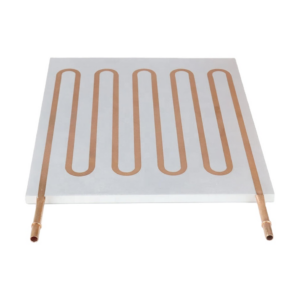
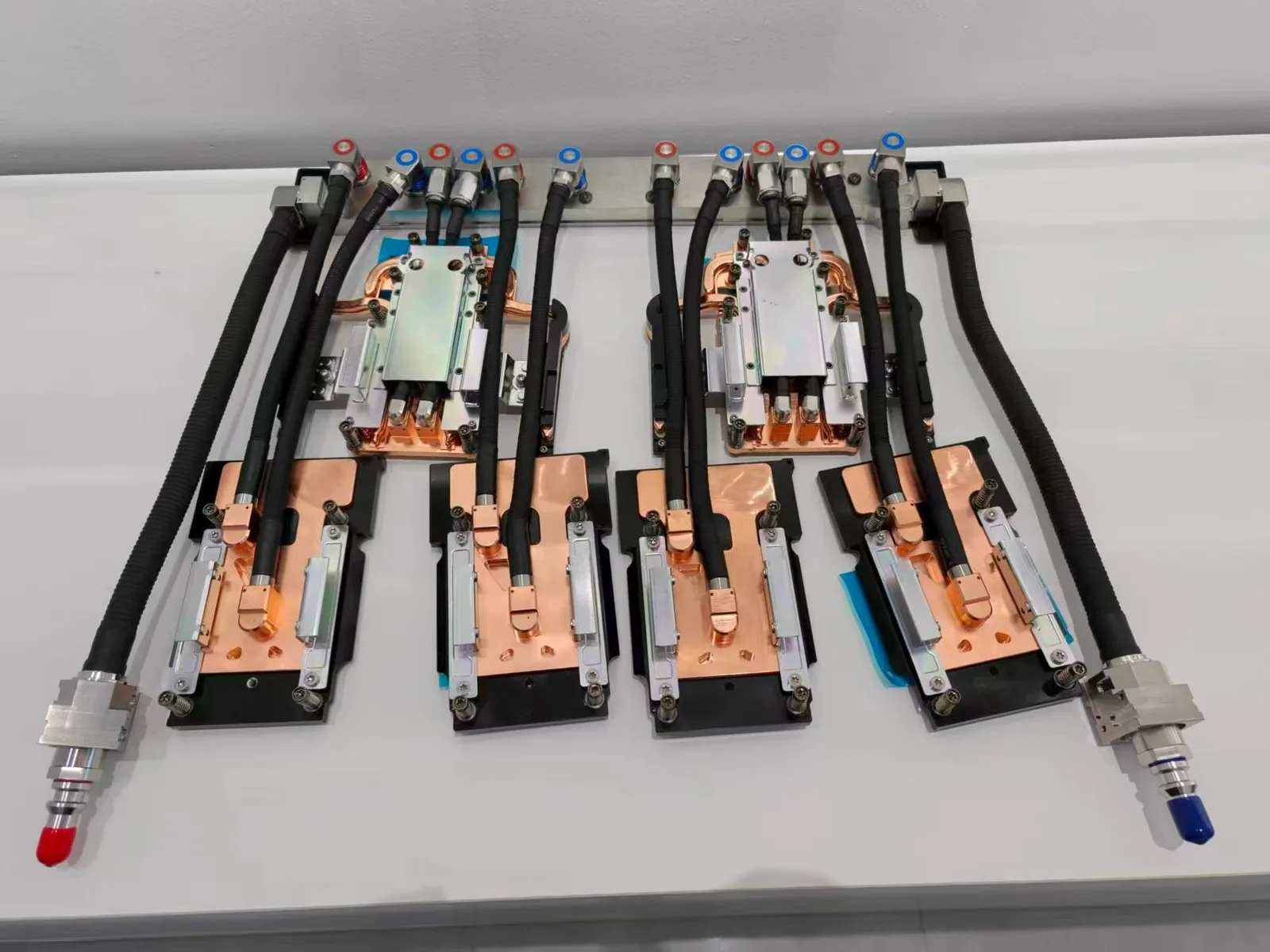
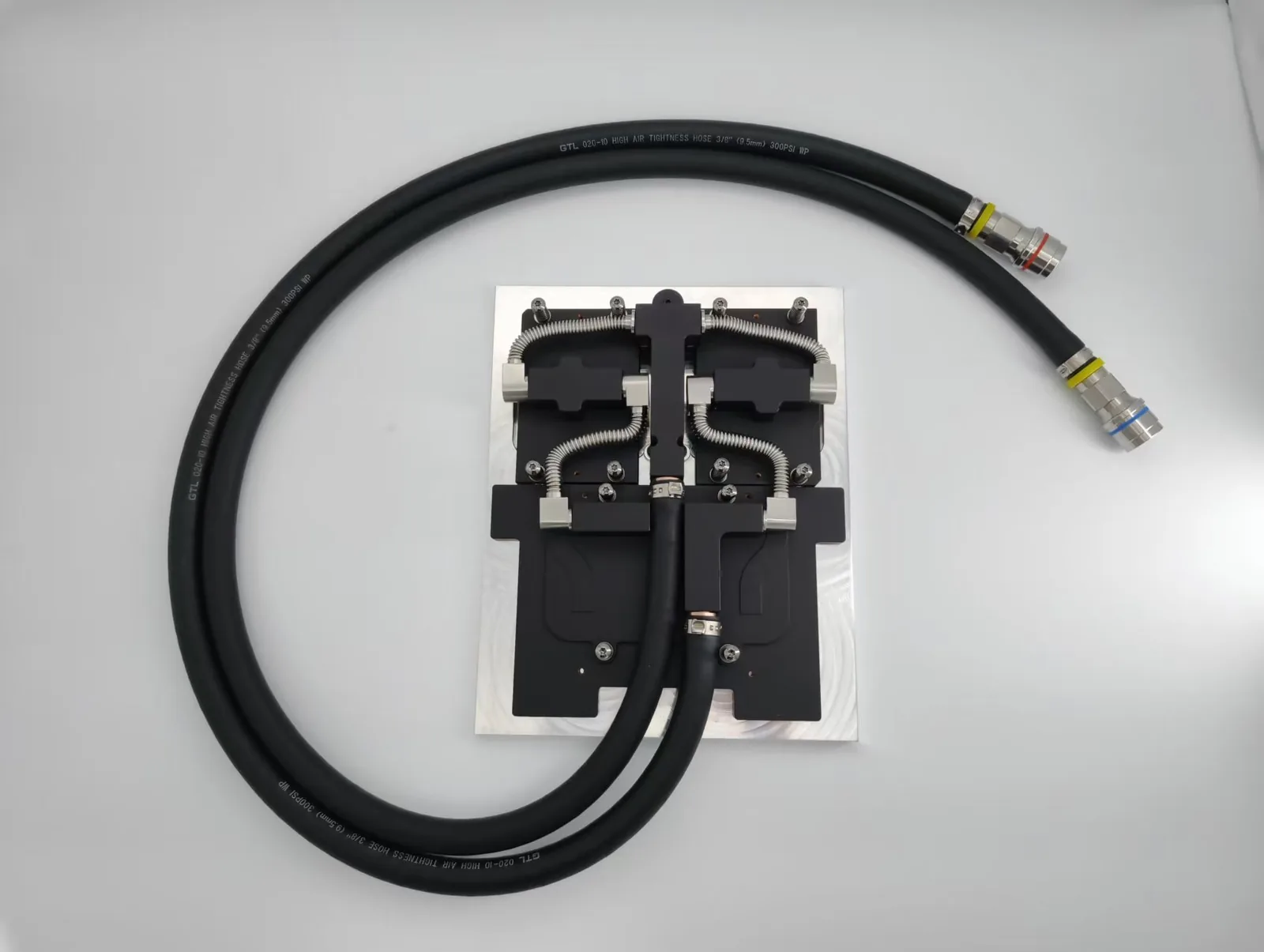
Systems move to liquid cooling when heat density outgrows the airflow, noise limit or space available: AI and HPC servers, lasers, power electronics, and EV batteries and chargers are typical examples. Direct-to-chip cold plates remove heat at the source and send it to a CDU or chiller, while air cooling stays the right choice for lower-power, cost-sensitive equipment.
See the liquid cold plates overview, our standard GB300 4G+2C cold plate kit, CDUs and custom heat sinks, or send an RFQ.
Get a Custom Thermal Solution from ToneCooling
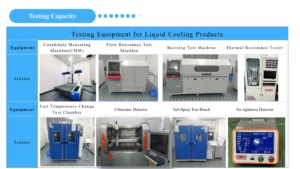
ToneCooling is a professional liquid cooling solution provider specializing in custom cold plates, AIO coolers, and advanced thermal management systems. With ISO 9001 quality management and our own manufacturing facility in Huizhou, China, we deliver prototype samples typically within 4–6 weeks. Contact ToneCooling today for a free consultation and quote. An engineer reviews every RFQ and replies by email with next steps.
Industry References & Standards
Why Choose ToneCooling for Liquid Vs Air Cooling Comparison
Engineering review and prototype planning are based on the project requirements. Custom prototype lead time is normally 4–6 weeks after drawing approval and order confirmation; confirm the production schedule in the quotation.
Building AI servers? See our standard GB300 4G+2C cold plate kit and GB200 cold plate kit, both supplied to published datasheets.
Need a Custom Liquid Cold Plate?
ToneCooling engineers review your drawings and requirements and reply by email with next steps.
Last updated: 2026-10-02