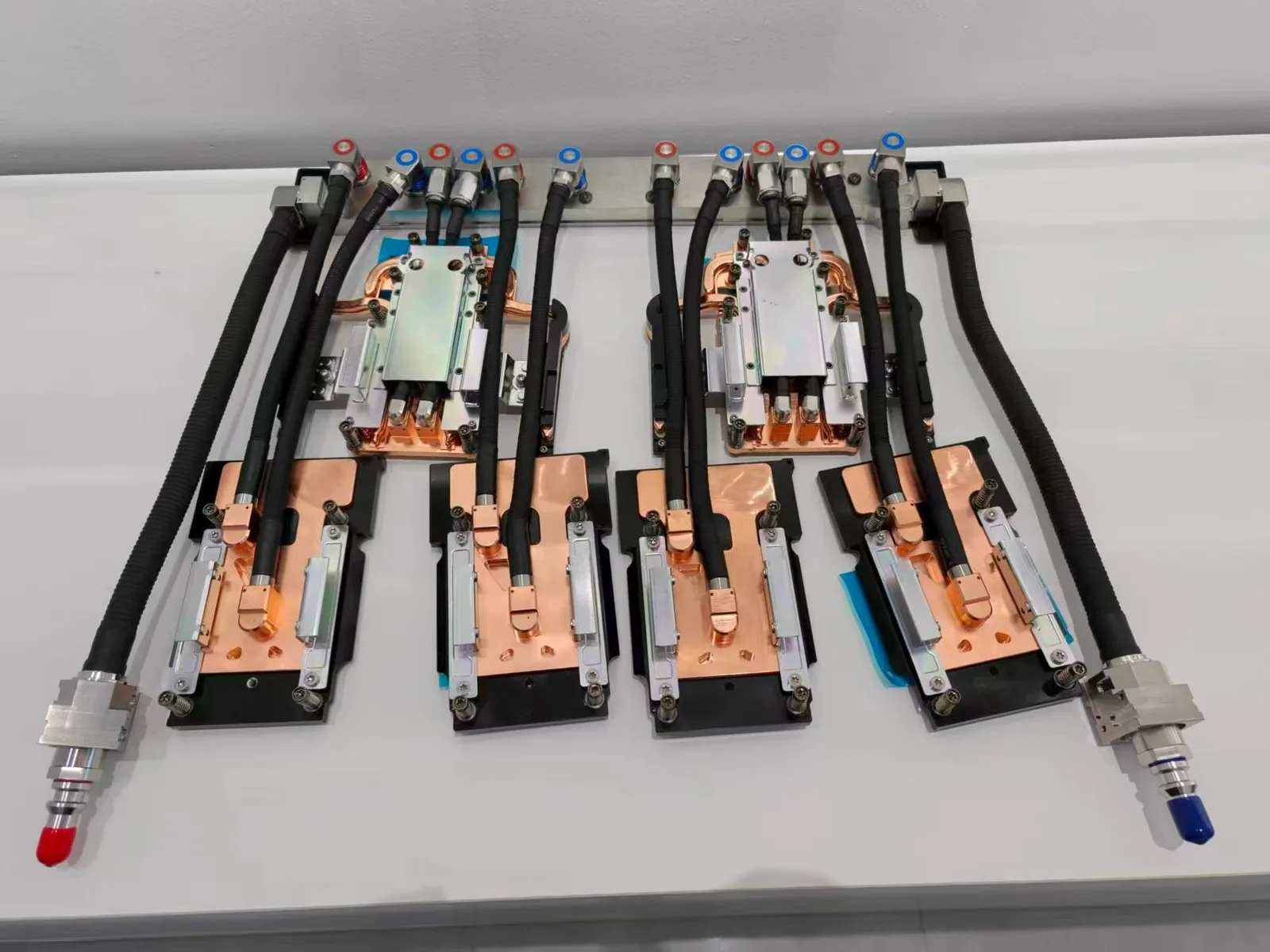
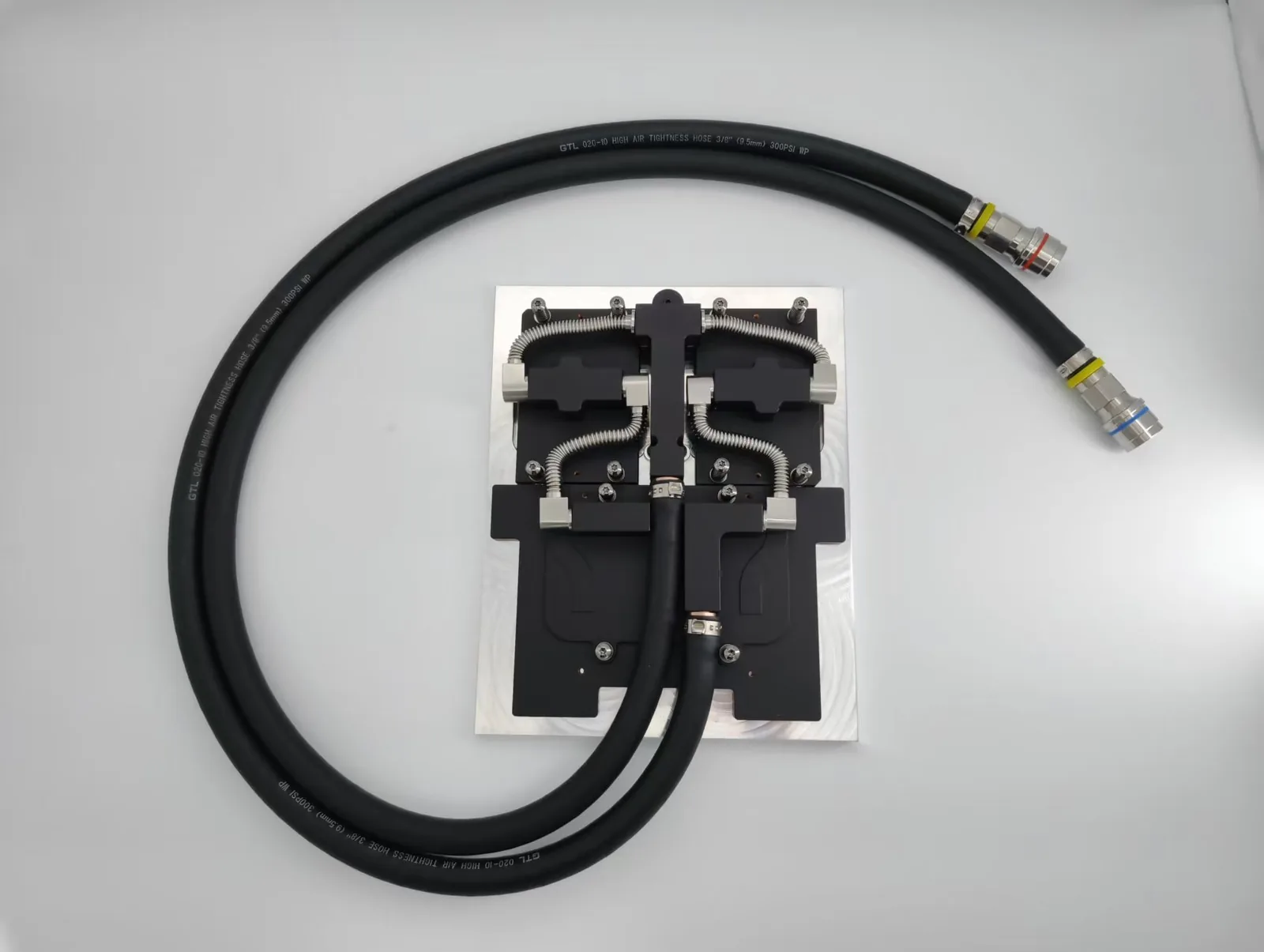
Install a heat sink on a clean, flat surface with a thin, even layer of thermal interface material and the specified mounting pressure, so heat transfers efficiently. ToneCooling designs custom heat sinks for industrial and server electronics.
A heat sink is a device designed to absorb and dissipate heat from electronic components. It prevents overheating by transferring heat away from processors, graphics cards, or other hardware. Properly installing and maintaining a heat sink ensures efficient cooling and extends the lifespan of devices. To use heat sink effectively, users must follow specific guidelines.
Air-Cooled and Water-Cooled Heat Sinks
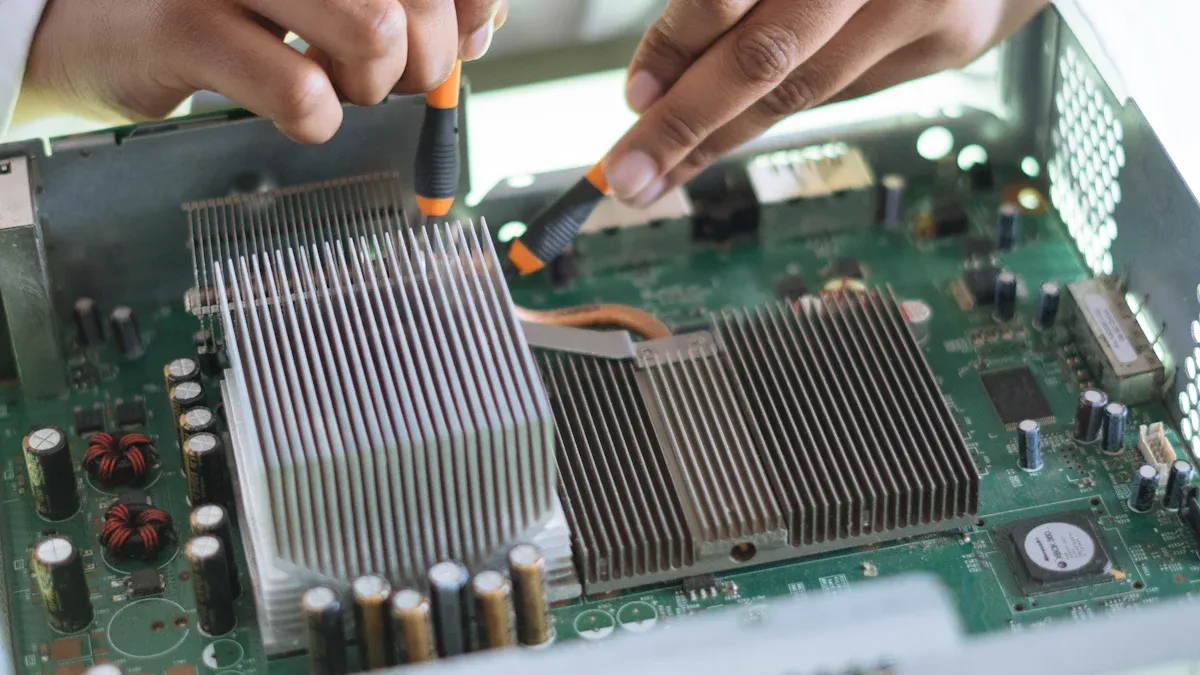
Heat sinks come in two primary types based on their cooling method: air-cooled and water-cooled. Air-cooled heat sinks use fans or natural airflow to dissipate heat. These are common in personal computers and other consumer electronics. They are affordable, easy to install, and require minimal maintenance. However, they may struggle to cool high-performance systems under heavy workloads.
Water-cooled heat sinks, on the other hand, use liquid to transfer heat away from components. A pump circulates the liquid through tubes connected to the heat sink, where heat is absorbed and then released through a radiator. This type offers superior cooling performance, making it ideal for gaming PCs or industrial equipment. However, it requires more maintenance and is generally more expensive.
Passive and Active Heat Sinks
Heat sinks can also be categorized as passive or active. Passive heat sinks rely on natural convection to dissipate heat. They have no moving parts, making them silent and reliable. However, their cooling efficiency is limited compared to active heat sinks.
Active heat sinks combine a heat sink with a fan or other cooling mechanism. The fan increases airflow, improving heat dissipation. These are more effective for systems that generate significant heat, such as high-end processors. However, they may produce noise and require regular cleaning to maintain performance.
Selecting the Right Heat Sink for Your System
Choosing the right heat sink depends on your system’s cooling needs. For basic tasks like web browsing or office work, an air-cooled, passive heat sink may suffice. For gaming or video editing, an active, water-cooled heat sink might be necessary. Consider factors such as your budget, the size of your system, and the amount of heat your components generate. Proper selection ensures efficient cooling and extends the lifespan of your hardware.
Installing a Heat Sink
Preparing the Surface and Components
Proper preparation ensures the heat sink performs efficiently. Start by cleaning the surface of the computer processor where the heat sink will be installed. Use isopropyl alcohol and a lint-free cloth to remove dust, old thermal paste, or debris. A clean surface improves thermal conductivity and prevents uneven heat transfer. Inspect the heat sink for any physical damage or dirt. Ensure all components, including mounting brackets, are compatible with the processor and motherboard. This step avoids installation issues later.
Applying Thermal Paste for Optimal Thermal Conductivity
Thermal paste acts as a thermal interface material between the processor and the heat sink. It fills microscopic gaps on the processor’s surface, enhancing thermal conductivity. Apply a small amount of paste—about the size of a pea—directly onto the center of the processor. Avoid spreading it manually; the pressure from the heat sink will distribute it evenly. Too much paste can reduce heat transfer efficiency, while too little may leave gaps that hinder cooling. Follow the manufacturer’s guidelines for the best results.
Securing the Heat Sink and Testing Installation
Place the heat sink carefully over the processor, aligning it with the mounting brackets. Secure it using screws or clips, ensuring even pressure across the surface. Uneven installation can compromise thermal conductivity and lead to overheating. Once installed, test the system by powering it on and monitoring the processor’s temperature. Use software tools to verify that the heat sink is effectively dissipating heat. If temperatures remain high, recheck the thermal paste application and mounting alignment.

Using a Heat Sink Effectively
Ensuring Proper Airflow for Heat Dissipation
Proper airflow is essential for a heat sink to function efficiently. Blocked airflow can trap heat, reducing the cooling system’s effectiveness. To ensure optimal airflow, users should position the heat sink in a way that aligns with the system’s ventilation. Fans should push hot air out while pulling cool air in. Avoid placing the device in enclosed spaces or near walls, as this restricts airflow.
Cable management also plays a significant role. Tangled or obstructive cables can disrupt airflow patterns. Organizing cables neatly inside the case improves circulation and enhances cooling performance. Regularly inspect the fan and surrounding areas for dust buildup, as this can block airflow and reduce the ability to use heat sink effectively.
Maintaining Thermal Conductivity Over Time
Thermal conductivity diminishes if the thermal paste degrades or dries out. Over time, this can lead to overheating. Users should periodically check the condition of the thermal paste. If it appears cracked or uneven, reapply it following the steps outlined earlier.
Additionally, ensure the heat sink remains securely attached to the processor. Loose mounting can create gaps, reducing thermal transfer. Regular maintenance, such as cleaning the heat sink and reapplying thermal paste, helps maintain consistent performance.
Avoiding Common Mistakes in Heat Sink Usage
Several common mistakes can compromise the efficiency of a heat sink. Applying too much thermal paste is a frequent error. Excess paste can act as an insulator, trapping heat instead of transferring it. Users should also avoid neglecting dust removal. Dust accumulation can clog the heat sink and fans, leading to overheating.
Another mistake is using an incompatible heat sink. Always verify that the heat sink matches the system’s specifications. Proper installation and regular upkeep ensure users can use heat sink systems effectively and avoid performance issues.

Maintenance and Troubleshooting
Cleaning the Heat Sink to Prevent Dust Accumulation
Dust buildup can significantly reduce the efficiency of a heat sink. Over time, dust clogs the fins and blocks airflow, which hinders heat exchange. Regular cleaning prevents this issue and ensures optimal performance. Users should start by turning off the device and unplugging it from the power source. A can of compressed air works well for removing dust from the heat sink’s fins and surrounding areas. For stubborn debris, a soft brush can help dislodge particles without damaging the components.
It is important to clean the heat sink at least every few months, especially in dusty environments. Keeping the surrounding area clean also minimizes the chances of dust accumulation. Proper cleaning maintains effective heat transfer and prolongs the lifespan of the cooling system.
Inspecting for Damage or Wear
Physical damage or wear can compromise the performance of a heat sink. Regular inspections help identify issues early. Users should check for bent fins, loose mounting brackets, or cracks in the heat exchanger. Damaged fins reduce the surface area available for heat dissipation, while loose brackets can create gaps that disrupt heat transfer.
If any damage is found, replacing the affected parts is essential. Continuing to use a damaged heat sink can lead to overheating and potential hardware failure. Routine inspections ensure the system operates efficiently and prevents costly repairs.
Resolving Overheating and Performance Issues
Overheating often indicates a problem with the heat sink or its installation. Users should first verify that the heat sink is securely mounted and that the thermal paste is applied correctly. Reapplying thermal paste can restore proper heat exchange if it has dried out.
Blocked airflow is another common cause of overheating. Ensuring that fans and vents are unobstructed improves cooling efficiency. If the issue persists, upgrading to a more powerful heat exchanger may be necessary. Monitoring system temperatures with software tools helps detect problems early and maintain optimal performance.
Conclusion
Selecting the right heat sink, installing it correctly, and maintaining it regularly are essential steps for effective cooling. These practices ensure that electronic components operate efficiently and last longer. Regular inspections and cleaning prevent overheating and performance issues. By following these guidelines, users can protect their devices and optimize their performance.
For industry standards and best practices, refer to ASHRAE technical resources.
Frequently Asked Questions
How do you install a heat sink correctly?
Clean both contact surfaces, apply a thin and even layer of thermal interface material, set the heat sink squarely on the component, and tighten the fasteners gradually in a cross pattern so pressure stays even. Then run the device under load and check temperatures to confirm good contact.
What hardware is used to mount a heat sink?
Heat sinks are mounted with spring-loaded screws, push pins, clips, or backplates, and light parts sometimes use thermally conductive adhesive tape. Spring-loaded screws are preferred for processors because they hold contact pressure steady as parts heat up and cool down.
Why is my heat sink not cooling well after installation?
Poor cooling after installation is usually caused by too much or too little thermal paste, uneven mounting pressure, a protective film left on the base, or blocked airflow. Remount the heat sink with fresh thermal interface material and make sure the fins have a clear airflow path.
Can a heat sink assembly be customized for an industrial product?
Yes. ToneCooling designs custom heat sink assemblies, including fin geometry, base thickness, mounting hardware, and embedded heat pipes or vapor chambers, around your component layout and enclosure. Custom samples are available from a single piece, and an engineer reviews every RFQ and replies by email with next steps.
Get a Custom Thermal Solution from ToneCooling
ToneCooling is a professional liquid cooling solution provider specializing in custom cold plates, AIO coolers, and advanced thermal management systems. With ISO 9001 quality management and our own manufacturing facility in Huizhou, China, we deliver prototype samples typically within 4–6 weeks. Contact ToneCooling today for a free consultation and quote. An engineer reviews every RFQ and replies by email with next steps.
For industry standards and best practices, refer to ASHRAE technical resources.
Get a Custom Thermal Solution from ToneCooling
ToneCooling is a professional liquid cooling solution provider specializing in custom cold plates, AIO coolers, and advanced thermal management systems. With ISO 9001 quality management and our own manufacturing facility in Huizhou, China, we deliver prototype samples typically within 4–6 weeks. Contact ToneCooling today for a free consultation and quote. An engineer reviews every RFQ and replies by email with next steps.
References: ASHRAE thermal standards
Why Choose ToneCooling for Heat Sink Installation Guide
Engineering review and prototype planning are based on the project requirements. Custom prototype lead time is normally 4–6 weeks after drawing approval and order confirmation; confirm the production schedule in the quotation.
Need a Custom Liquid Cold Plate?
ToneCooling engineers review your drawings and requirements and reply by email with next steps.
Last updated: 2026-10-02