Liquid cooling keeps GPUs cooler and quieter under heavy load, but it costs more, needs maintenance and adds leak risk. ToneCooling designs GPU cold plates for workstation and server applications where those trade-offs pay off.
Liquid cooling improves GPU performance by efficiently managing heat. It keeps temperatures low during heavy workloads, allowing the graphics card to operate at peak levels. Additionally, it minimizes noise by eliminating the reliance on traditional fans. However, this advanced cooling method demands higher initial costs and ongoing maintenance, making it a choice for enthusiasts.

Overview
Definition and Purpose
Liquid cooling is a thermal management method that uses a fluid—typically water or a specialized coolant—to absorb and transfer heat away from heat-generating components. Compared to traditional air cooling, liquid cooling systems offer higher efficiency, lower noise, and better performance, especially in environments with high power density.
Common applications include high-performance computing (HPC), data centers, industrial electronics, electric vehicles, and gaming PCs. The primary purpose of liquid cooling is to maintain safe operating temperatures, which helps:
- Enhance system performance and stability
- Prolong the lifespan of components
- Minimize noise from cooling fans
- Support compact, high-density designs
Types of Liquid Cooling Systems
There are several types of liquid cooling technologies, each designed to meet specific performance requirements and use cases. The three most widely adopted systems are Direct-to-Chip Cooling, Immersion Cooling, and Closed-Loop (AIO) Liquid Cooling.
1. Direct-to-Chip Liquid Cooling
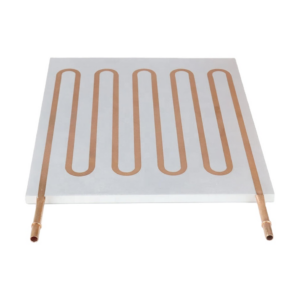
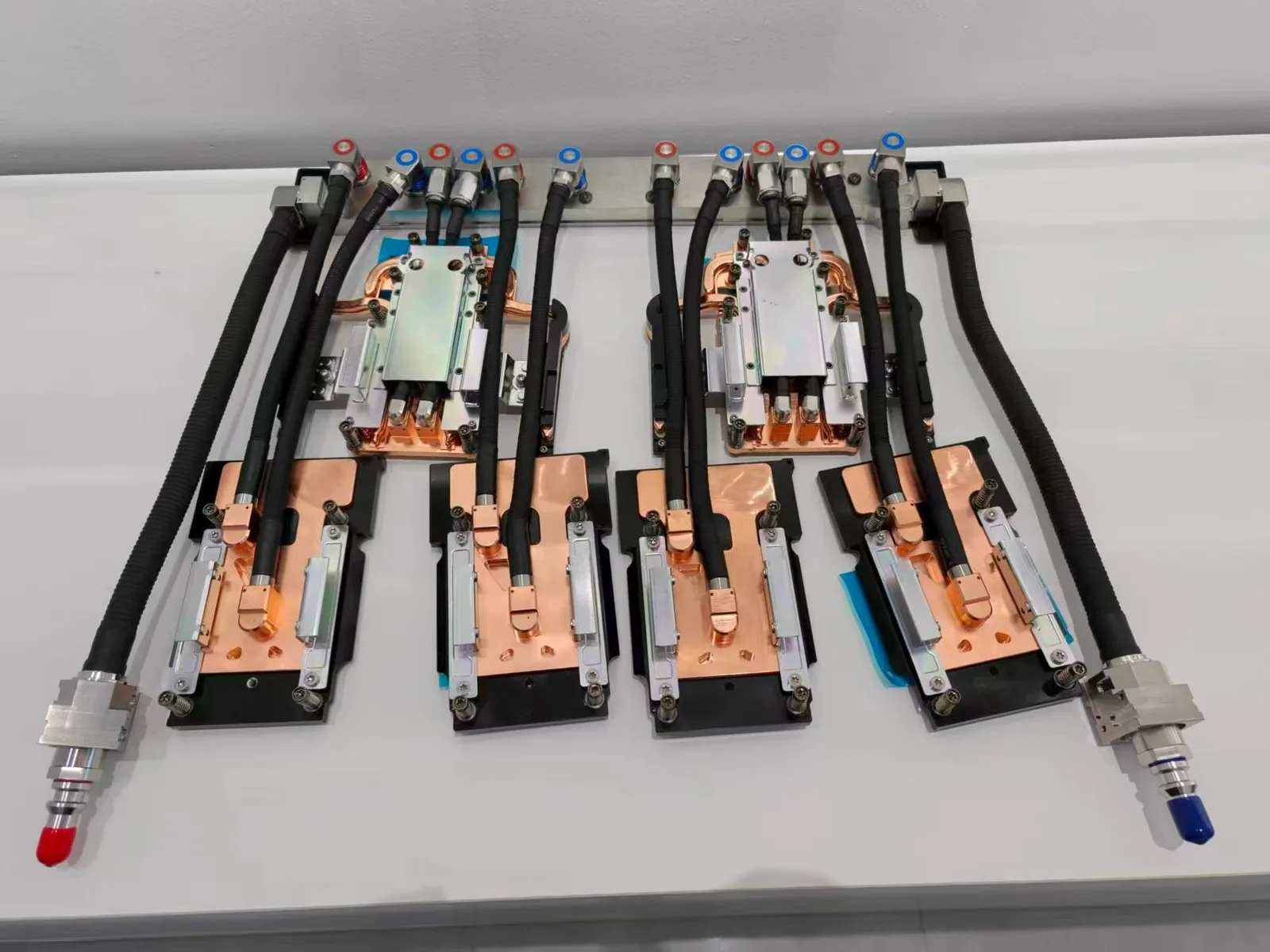
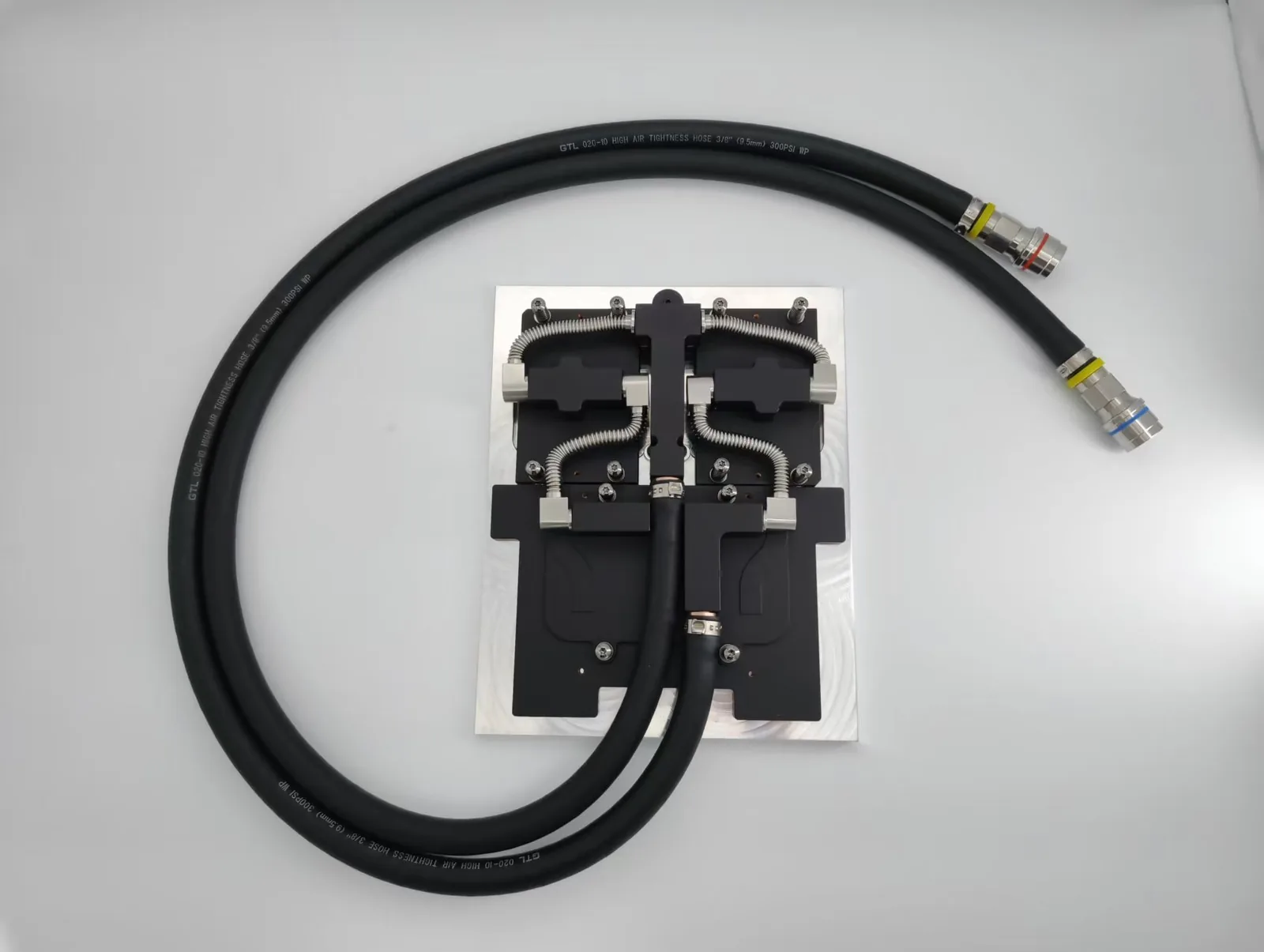
Direct-to-chip cooling uses liquid cold plates that are mounted directly onto components such as CPUs, GPUs, IGBTs, or power modules. Coolant circulates through internal channels in the cold plate, absorbing heat at the source and transferring it through a connected cooling loop.
2. Immersion Liquid Cooling
Immersion cooling involves submerging entire servers or power electronics into a non-conductive, thermally efficient dielectric fluid. Heat is absorbed directly from every surface without requiring fans or heat sinks, making it one of the most effective liquid cooling technologies available.
3. Closed-Loop Liquid Cooling System
All-in-One (AIO) liquid coolers are pre-assembled, sealed units designed for easy installation, primarily in consumer-grade desktops. Each unit includes a cold plate, integrated pump, coolant-filled tubing, and radiator with fans.

Benefits of Liquid-Cooled GPUs
Superior Thermal Management
Liquid-cooled GPUs excel at maintaining stable temperatures during intensive workloads. The liquid cooling system transfers heat away from the graphics card more efficiently than air cooling. This prevents overheating and ensures consistent performance during demanding tasks like gaming or video rendering.
Reduced Noise Levels
Liquid cooling systems operate with minimal noise compared to traditional air cooling setups. Fans in air-cooled systems often run at high speeds to manage heat, creating noticeable noise. Liquid-cooled GPUs rely on pumps and radiators, which produce quieter operation. This makes them ideal for users who value a silent computing environment.
Overclocking Advantages
Liquid cooling enables users to push their graphics card beyond factory settings. Overclocking increases the GPU’s clock speed, boosting performance for tasks like 3D modeling or competitive gaming. The superior heat dissipation of liquid cooling prevents thermal throttling, allowing the graphics card to sustain higher speeds without compromising stability.
Enhanced Aesthetic Appeal
Liquid cooling systems offer customizable designs that enhance the visual appeal of a PC setup. Transparent tubing, colored coolant, and RGB lighting create a unique and eye-catching look. Enthusiasts often choose liquid-cooled GPUs to showcase their creativity and build a system that stands out.
Drawbacks of Liquid Cooling for GPUs
Higher Initial Costs
Liquid cooling systems often come with a higher price tag compared to traditional air cooling solutions. The components, including the pump, radiator, tubing, and coolant, contribute to the increased cost.
Additionally, users may need to purchase accessories like fittings or high-quality thermal paste to ensure optimal performance. For budget-conscious users, this upfront investment can be a significant barrier.
Installation Challenges
Setting up a liquid cooling system requires more technical expertise than installing an air cooler. Users must carefully assemble and connect components, ensuring proper alignment and secure fittings.
Mistakes during installation can lead to inefficiencies or even damage to the graphics card. Beginners may find the process intimidating, especially without prior experience in PC building.
Ongoing Maintenance Needs
Unlike air cooling, liquid cooling systems demand regular maintenance to function effectively. Over time, the coolant may degrade or evaporate, requiring periodic refills or replacements. Dust and debris can also accumulate in the radiator, reducing its ability to dissipate heat. Neglecting maintenance can compromise energy efficiency and lead to overheating issues.
Potential Risks of Leaks or Failures
Liquid cooling introduces the risk of leaks, which can damage sensitive components like the graphics card or motherboard. Poorly secured fittings or degraded tubing increase the likelihood of leaks over time.
Additionally, pump failures can disrupt the cooling process, causing the system to overheat. While these risks are rare with high-quality systems, they remain a concern for users considering this cooling method.


Liquid Cooling vs. Air Cooling for GPUs
Performance Differences
Liquid cooling delivers superior thermal management compared to air cooling. It efficiently transfers heat away from the graphics card, maintaining lower temperatures during demanding tasks like gaming or video rendering.
Air cooling relies on fans and heatsinks, which can struggle to keep up with high-performance workloads. Liquid cooling systems also reduce thermal throttling, ensuring consistent performance under heavy loads.
Cost Comparison
Air cooling systems are more affordable than liquid cooling setups. The components required for liquid cooling, such as pumps, radiators, and tubing, contribute to higher initial costs. Air coolers typically consist of fans and heatsinks, making them budget-friendly for most users.
However, liquid cooling offers better energy efficiency, which can reduce long-term operating costs. For users prioritizing upfront savings, air cooling remains the preferred choice.
Use Case Scenarios
Liquid cooling suits enthusiasts and professionals who demand peak performance from their graphics card. It is ideal for overclocking, intensive gaming, and creative tasks like 3D rendering. Air cooling works well for casual users or those with standard workloads.
Compact builds benefit from air cooling due to its simpler installation process. Liquid cooling is better suited for larger setups where aesthetics and performance take precedence.
Key Considerations Before Choosing Liquid Cooling
Budget Constraints
Liquid cooling systems require a significant upfront investment. The cost of components such as pumps, radiators, and tubing often exceeds that of traditional air cooling solutions. Users must also account for additional expenses like high-quality thermal paste and fittings.
Those with limited budgets may find air cooling a more practical option. However, for enthusiasts seeking peak performance and aesthetics, the long-term benefits of liquid cooling can justify the higher initial cost.
Technical Knowledge and Skills
Installing a liquid cooling system demands a solid understanding of PC hardware. Users must assemble and connect components with precision to avoid issues like leaks or inefficiencies. Beginners may struggle with tasks such as applying thermal paste correctly or securing tubing.
While detailed guides and tutorials are available, individuals with limited technical skills should consider professional assistance to ensure proper installation.
System Cooling Requirements
The cooling needs of a system depend on its workload and hardware configuration. High-performance tasks like gaming or 3D rendering generate substantial heat, making liquid cooling an ideal choice. For standard workloads, air cooling often provides sufficient thermal management.
Users should evaluate their graphics card’s thermal output and overall system requirements before deciding on a cooling solution.
Maintenance Commitment
Liquid cooling systems require regular upkeep to maintain performance. Coolant levels must be monitored and refilled periodically to prevent overheating. Radiators and tubing can accumulate dust and debris, reducing energy efficiency and heat dissipation.
Neglecting maintenance can lead to system failures or damage to the graphics card. Users must be prepared to commit time and effort to keep their cooling system in optimal condition.
Conclusion
In conclusion, Is liquid cooling GPU worth it?? Yes, liquid cooling enhances GPU performance by maintaining low temperatures and reducing noise. It suits enthusiasts seeking high-performance setups or improved gpu benchmarks. However, the higher cost and maintenance requirements may deter casual users. Evaluating system needs, budget, and technical skills ensures the right choice for a graphics card cooling solution.
For industry standards and best practices, refer to ASHRAE thermal guidelines.
Frequently Asked Questions
Is liquid cooling better for a GPU?
Liquid cooling usually keeps a GPU cooler and quieter than air cooling under sustained heavy load, because water carries heat away far more effectively than air. It adds cost, installation work and a small leak risk, so it pays off mainly for high-power GPUs or dense multi-GPU systems.
What are the disadvantages of liquid cooling a graphics card?
The main disadvantages are higher upfront cost, more complex installation, periodic coolant maintenance and the risk of leaks if fittings are poorly installed. Most GPU water blocks are also designed for one specific card layout, so they rarely carry over to a new GPU.
How does a GPU liquid cooling system work?
A GPU liquid cooling system pumps coolant through a cold plate (water block) mounted on the GPU, where the coolant absorbs heat and carries it to a radiator or heat exchanger. In data centers the heat is usually passed through a coolant distribution unit (CDU) to the facility water loop.
Which GPU cooling system is used in AI servers?
AI servers increasingly use direct-to-chip liquid cooling, with a cold plate on each GPU and CPU connected to a CDU, because air cooling struggles to remove the heat of modern accelerators at rack scale. ToneCooling supplies standard GB300 4G+2C, GB200, H200 and H100 platform-compatible cold plates as well as custom GPU cold plates.
Get a Custom Thermal Solution from ToneCooling
ToneCooling is a professional liquid cooling solution provider specializing in custom cold plates, AIO coolers, and advanced thermal management systems. With ISO 9001 quality management and our own manufacturing facility in Huizhou, China, we deliver prototype samples typically within 4–6 weeks. Contact ToneCooling today for a free consultation and quote. An engineer reviews every RFQ and replies by email with next steps.
Industry References & Standards
Why Choose ToneCooling for GPU Liquid Cooling Pros Cons
Engineering review and prototype planning are based on the project requirements. Custom prototype lead time is normally 4–6 weeks after drawing approval and order confirmation; confirm the production schedule in the quotation.
Building AI servers? See our standard GB300 4G+2C cold plate kit and GB200 cold plate kit, both supplied to published datasheets.
Need a Custom Liquid Cold Plate?
ToneCooling engineers review your drawings and requirements and reply by email with next steps.
Last updated: 2026-10-02