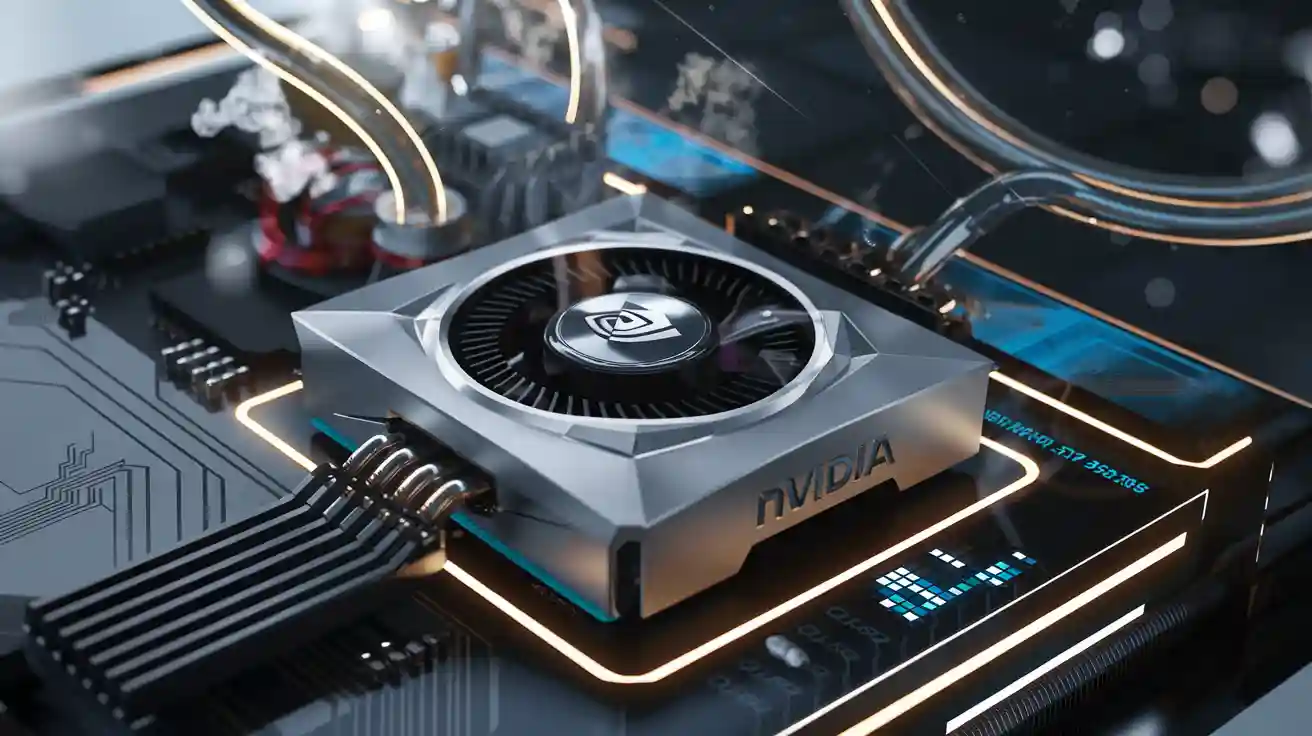
Cold plates deliver superior heat management for NVIDIA GPUs during overclocking. Efficient thermal transfer reduces chip temperatures, which prevents thermal throttling. This technology supports higher performance levels under demanding workloads.
Overview
What Is Overclocking? — How cold plates enhance
Overclocking increases the clock speed of a GPU beyond its factory settings. This process allows users to achieve higher performance in gaming or professional applications. Many enthusiasts use specialized software to adjust voltage and frequency settings for their graphics cards.
Why Stability Matters — How cold plates enhance
Stability ensures that a GPU runs reliably during demanding tasks. When users push hardware past its intended limits, several issues can arise:
- Overheating may occur, causing the GPU to throttle or shut down.
- Increased power draw can stress the power delivery system.
- Inadequate cooling and poor monitoring often lead to system instability.
Unstable overclocking can result in crashes, freezes, or visual artifacts. Pushing a GPU too far may compromise system stability and even cause data corruption. Stress on components from excessive heat or voltage can shorten the lifespan of the hardware.
Manufacturers note that overclocking can reduce GPU lifespan due to thermal and electrical stress. Keeping temperatures below 85°C and avoiding high voltage settings help maintain reliability. Regular maintenance, such as cleaning dust from cooling systems, also supports long-term stability.
Cold Plates and GPU Temperature
How Cold Plates Work
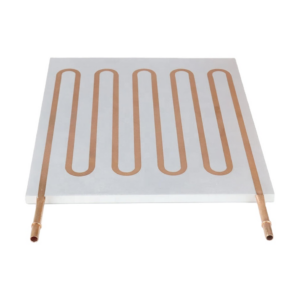
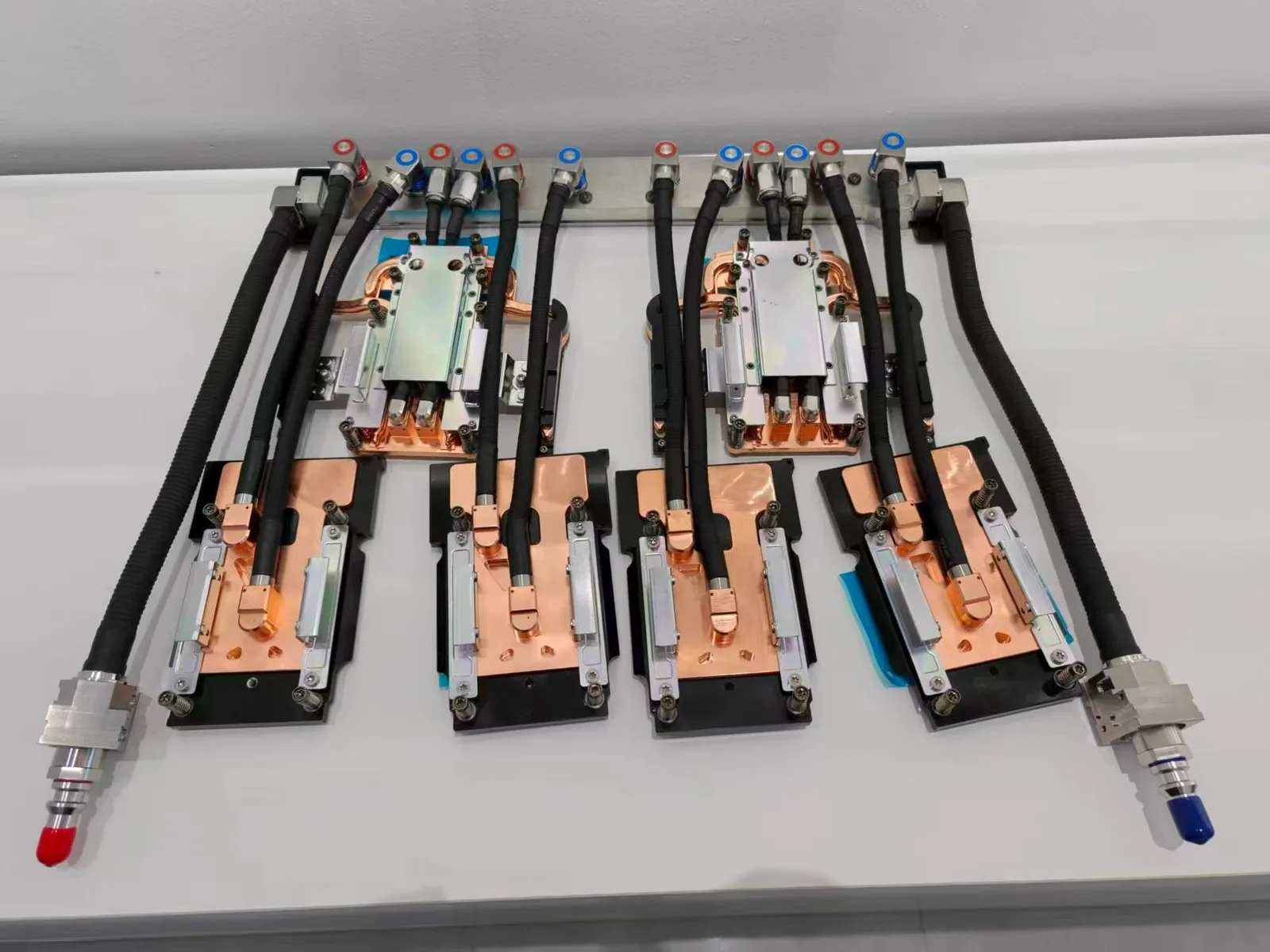
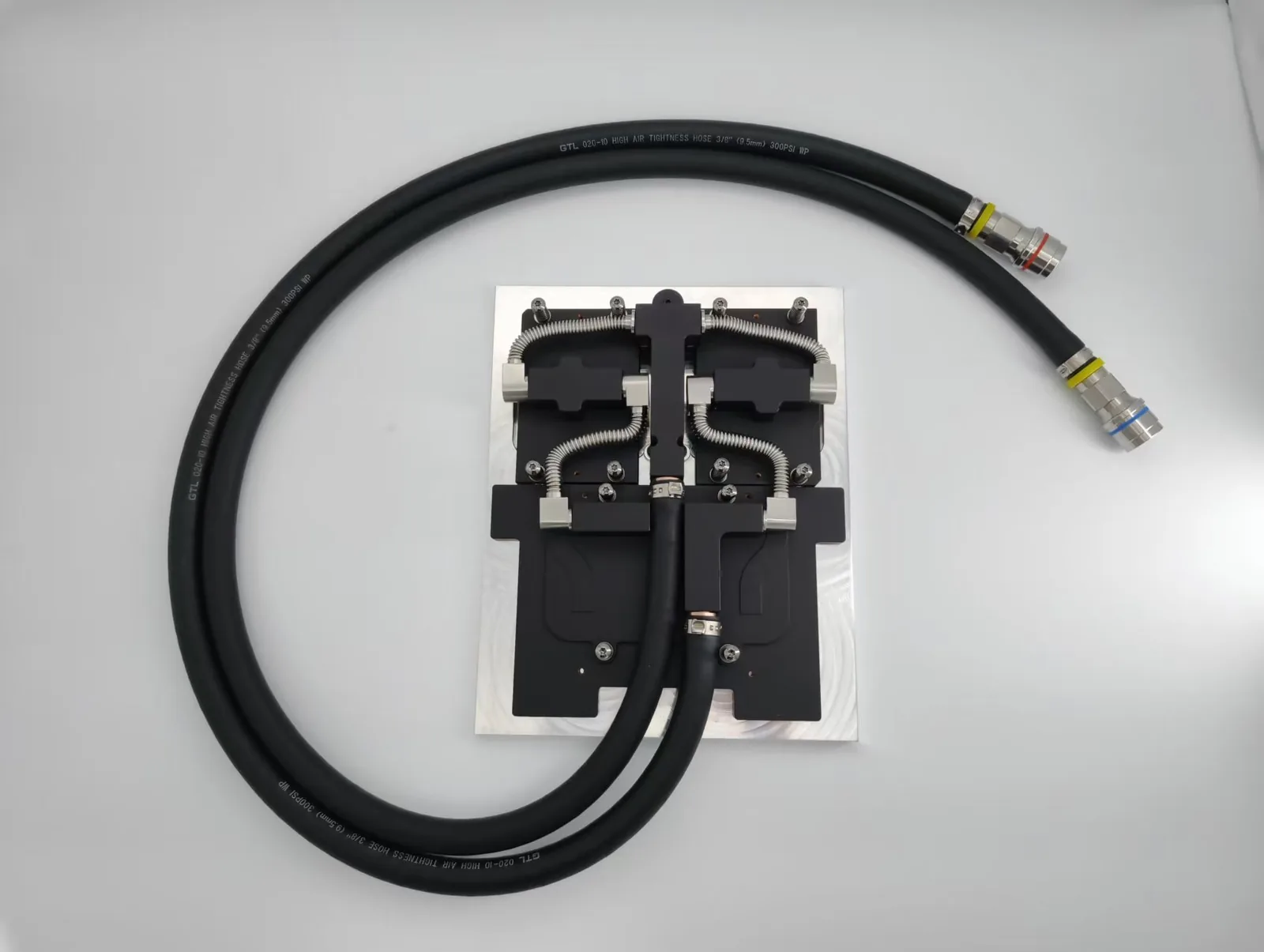
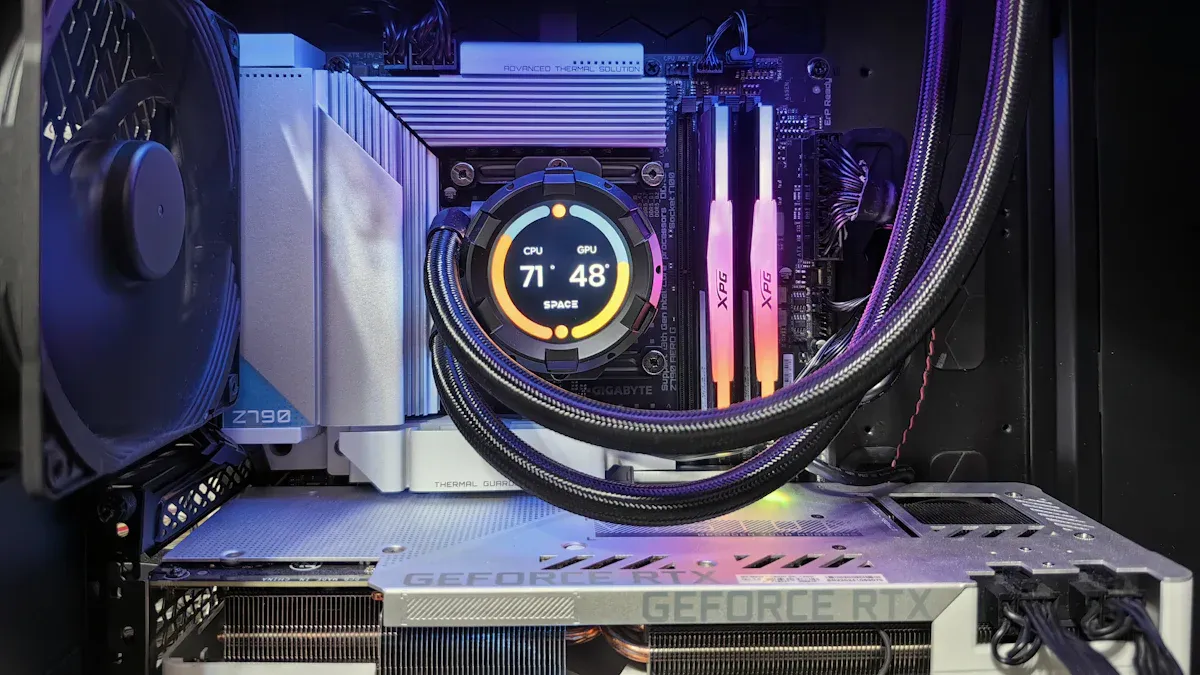
Cold plates play a critical role in thermal management for high-performance GPUs. Engineers design these components to sit directly on top of the GPU core, creating a direct-to-chip cooling interface. This setup allows heat to transfer efficiently from the chip into the cold plate.
Liquid cold plates use a network of channels that circulate coolant directly above the GPU core. The coolant absorbs heat and carries it away from the chip, maintaining a stable gpu temperature. This process outperforms traditional air cooling, which relies on airflow and often struggles to keep up with the heat generated during overclocking.
Tip: Direct-to-chip cooling with cold plates ensures that heat moves away from the GPU core quickly, reducing the risk of hot spots and uneven temperature distribution.
Material choice impacts the effectiveness of cold plates. Copper and silver offer the highest thermal conductivity, making them ideal for demanding workloads. The table below compares the thermal conductivity of common materials used in cold plate construction:
| Material | Thermal Conductivity (W/mK) |
|---|---|
| Aluminum | 220 |
| Copper | 388 |
| Silver | 418 |
| Silver/Copper Alloy | 515 |
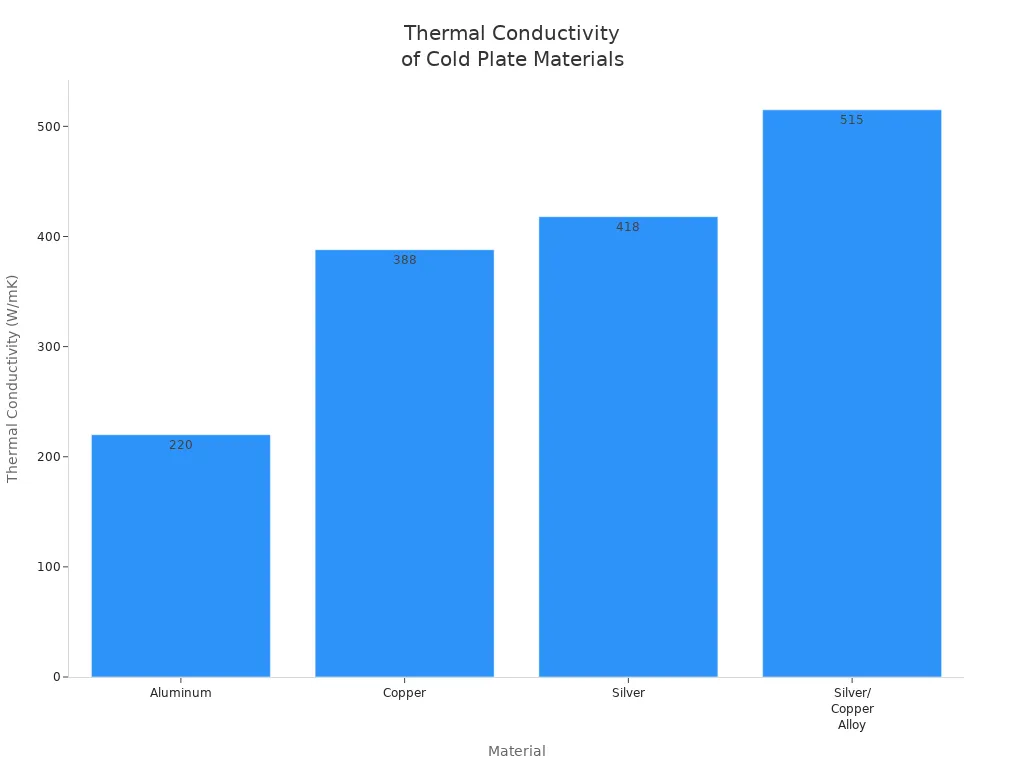
Copper cold plates, with a thermal conductivity of about 388 W/mK, nearly double the performance of aluminum. Silver provides even better thermal transfer, but cost and availability often make copper the preferred choice for most GPU cooling solutions.
Heat Dissipation Benefits
Cold plates deliver significant improvements in gpu temperature control, especially under full load. Micro-jet impingement cold plate technology, for example, can lower gpu temperature by up to 35°C during intense workloads. This reduction helps maintain optimal performance, even when coolant temperatures reach 60°C.
- Cold plates enhance heat dissipation, keeping gpu temperature within safe limits during overclocking.
- They prevent thermal throttling, allowing GPUs to sustain higher performance for longer periods.
- Improved temperature management leads to better gameplay, faster rendering, and greater efficiency in both gaming and professional environments.
- A GPU cold plate provides the cooling capacity needed for safe overclocking, reducing the risk of overheating and maximizing performance.
Cold plates in liquid cooling systems attach directly to the GPU, allowing coolant to flow through precision-engineered channels. This design extracts heat more efficiently than air cooling, enabling GPUs to run at maximum power without thermal throttling. Effective thermal management extends the lifespan of GPU hardware by preventing excessive heat buildup.
Ambient room temperature also affects gpu temperature and overall stability. Higher ambient temperatures reduce the thermal margin, making it harder for cold plates to transfer heat away from the GPU. Consistently high temperatures can cause thermal wear and shorten component lifespan. Keeping the room cool helps maintain a lower gpu temperature, reduces stress on the GPU, and enhances stability.
A study on grid-type-channel cold plates shows that different inlet and outlet configurations can further improve heat transfer efficiency. This flexibility supports advanced temperature management strategies, ensuring that even the most powerful GPUs remain stable during demanding tasks.
Note: Maintaining a strong thermal margin is essential for reliable overclocking. Cold plates provide the direct-to-chip cooling and temperature management needed to keep gpu temperature low and performance high.
Overclocking Performance Gains
Sustained Clock Speeds
Cold plates help graphics cards maintain higher clock speeds during overclocking. Lower core temperatures allow the GPU to run at maximum frequency without thermal throttling. Many enthusiasts report that liquid-cooled gpus equipped with cold plates deliver consistent gpu performance even under heavy workloads.
Graphics cards with advanced cooling can sustain peak performance for longer periods. This stability benefits users who demand reliable output in gaming and professional applications. Overclocking advantages become clear when graphics cards avoid sudden drops in performance due to overheating.
Benchmark analysis shows that cold plates can lead to significant performance improvements in overclocking scenarios. Liquid-cooled gpus often outperform air-cooled models, especially when graphics cards operate at elevated frequencies. Enthusiasts value the ability to push their graphics cards further while maintaining stable gpu performance.
Power Delivery Efficiency
Efficient thermal management from cold plates supports better power delivery in graphics cards. Lower temperatures reduce electrical resistance, which helps the GPU draw power more effectively. This improvement allows graphics cards to achieve higher performance without stressing the power delivery system.
The table below highlights key benefits of cold plates for power delivery efficiency:
| Benefit | Description |
|---|---|
| Superior Heat Dissipation | Efficiently transfers heat away from components for optimal performance. |
| Enhanced Cooling Efficiency | Maintains lower temperatures, reducing the risk of overheating. |
| Improved Overclocking Potential | Allows for higher performance and stability during overclocking. |
Liquid-cooled gpus with cold plates show greater stability during voltage spikes. Graphics cards equipped with these systems can handle increased power draw without compromising performance. Enthusiasts often choose liquid-cooled gpus for demanding workloads that require both high clock speeds and reliable power delivery.
Cold plates also help graphics cards maintain safe operating conditions. Lower temperatures protect sensitive components and extend hardware lifespan. Enthusiasts recognize that investing in advanced cooling solutions leads to better gpu performance and long-term reliability.
Cold Plates vs. Other Cooling
Air Cooling Comparison
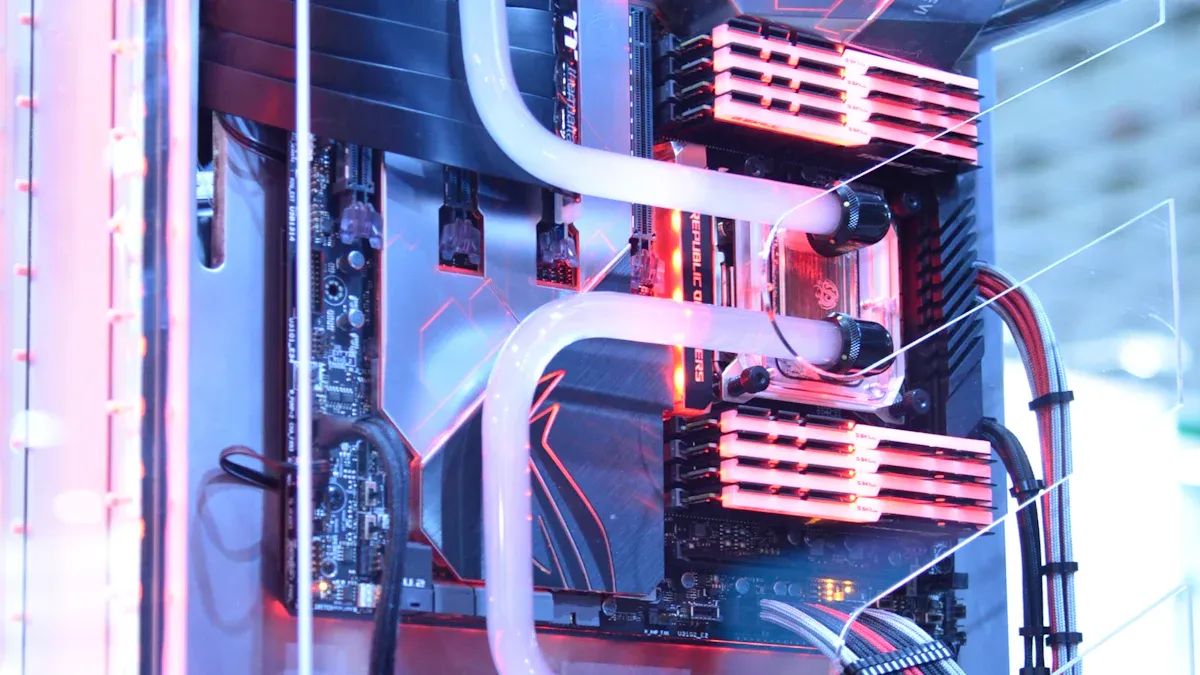
Air cooling remains the most common method for managing GPU temperatures. Fans move air across heatsinks to remove heat from the GPU. This approach often struggles with high-performance workloads, especially during overclocking.
- Water cooled GPUs outperform air cooled GPUs in thermal management.
- Higher overclocking potential is achievable with water cooling solutions.
- Effective cooling prevents thermal throttling, ensuring stable performance.
- Air cooling systems generally have higher noise levels due to the presence of fans.
- Liquid cooling systems, especially those using cold plates, have lower noise levels due to fewer or no fans.
Cold plates in liquid cooling systems reduce the need for large fans. This results in quieter operation compared to traditional air cooling systems. Lower noise levels improve the user experience during demanding tasks.
| Aspect | Cold Plate Cooling Systems | Traditional Air Cooling |
|---|---|---|
| Installation Complexity | Requires additional components (pumps, tubing) | Generally simpler, fewer components |
| Maintenance | Narrow channels can clog; requires proactive care | Easier to maintain, less prone to clogging |
Cold plates deliver superior cooling by transferring heat directly from the GPU core into the coolant. This process keeps temperatures stable and prevents throttling. Air cooling often cannot maintain the same level of temperature control, leading to more frequent thermal throttling.
Liquid Cooling Differences
Cold plates represent an advanced form of liquid cooling. They use microchannels to maximize heat transfer from the GPU into the coolant. This design is crucial for high-density setups, where efficient cooling is essential.
Cold plates provide highly efficient, localized cooling by moving heat away from hot components. In high-power GPU systems, such as those used in data centers, cold plates maintain optimal temperatures during intense workloads. This direct-to-chip cooling method sustains performance and prevents thermal throttling.
Cold plates are widely adopted in the industry. They appear in 90% of high-performance cooling projects due to their reliability and effectiveness. Their use in demanding environments highlights their superiority for sustained performance.
Cold plate cooling systems require more complex installation and maintenance than air cooling. However, the benefits in temperature control, efficiency, and noise reduction outweigh these challenges for users seeking maximum overclocking stability.
Research shows that reducing the operating temperature of semiconductors can significantly enhance their lifespan. A decrease of 10°C can double the lifespan of a semiconductor. Cold plate technology can lower GPU temperatures by up to 30°C compared to air cooling, which may result in an eightfold increase in lifespan.
Tip: Cold plates offer unmatched cooling efficiency, making them the preferred choice for users who demand stable performance and minimal thermal throttling.
Real-World Results
Benchmarks
Recent benchmark tests reveal that liquid cooling with cold plates delivers measurable gains in overclocking stability. For example, a high-end GPU achieved a 7% performance increase over its stock configuration, reaching an average of 125.7 FPS in a popular gaming benchmark. The cooling system maintained lower temperatures under heavy load, which proved essential for consistent performance during extended gaming sessions.
- Liquid-cooled systems kept GPU temperatures between 41–50°C under peak load.
- Air-cooled systems ranged from 54–72°C, showing less stability.
- The liquid setup provided lower and more stable temperatures, which enhanced compute throughput and reduced power consumption.
During stress tests, liquid cooling enabled GPUs to reach 54 TFLOPs under load, a 17% improvement compared to air-cooled setups. Direct liquid cooling with cold plates proved 82% more effective than air cooling for maintaining core temperature stability. Water-cooled solutions managed extreme thermal loads, preventing thermal throttling and supporting high-performance computing.
User Experiences
Users report that liquid cooling with cold plates prevents overheating during intense gaming and professional workloads. Many enthusiasts note that their GPUs maintain peak performance even when gpu load remains high for long periods. Overheating solutions like cold plates allow for reliable overclocking without sudden drops in frame rates or system crashes.
Tip: Real-time monitoring and temperature management help users avoid overheating and maximize GPU lifespan.
Practical considerations include installation, compatibility, and maintenance. Cold plate systems require careful setup and regular checks to ensure optimal airflow and ventilation. Compatibility varies by GPU model, as shown below:
| Cooling Method | Pros | Cons | Compatibility with NVIDIA GPUs |
|---|---|---|---|
| Air Cooling | Cost-effective, easy to install | Limited under heavy load | Standard reference design |
| Liquid Cooling | Efficient heat dissipation, higher performance | Complex maintenance, higher cost | Supported for select high-end models |
| NVIDIA Liquid-Cooled | Designed for data centers | N/A | Available for specific models |
Recommended maintenance practices include selecting high-performance fans, using efficient heatsinks, and implementing real-time monitoring. These steps ensure that the cooling system continues to deliver stable performance under heavy gpu load and gaming conditions.
Conclusion
Cold plates have transformed Nividia gpu overclocking by delivering precise thermal management and supporting stable gpu performance. Industry experts recognize liquid cooling as essential for handling the thermal demands of modern gpu systems, especially as platform density and gpu workloads increase. Liquid cooling with cold plates ensures that gpu temperature remains low, which directly improves gpu performance and prevents thermal throttling.
Liquid cooling stands out over air cooling by providing consistent gpu performance, even during demanding workloads. As liquid cooling becomes more common in high-performance computing, users see greater reliability and longer hardware lifespan. Liquid cooling also manages the heat from not only the gpu but also other components, which is critical for overall system performance.
Many misconceptions about liquid cooling persist, such as concerns about leaks or the belief that only water is used. Modern liquid cooling systems for gpu hardware use non-conductive liquids and advanced leak prevention, making them safe and effective for maintaining gpu performance. Liquid cooling technology continues to evolve, offering unmatched performance for gpu overclocking.
For those interested in upgrading gpu cooling, several resources can help:
- GPU Liquid Cooling Guide for installation and optimization
- Temperature Monitoring Software for real-time gpu performance tracking
- Leak Detection Systems and Flow Rate Monitors for liquid cooling safety
- Coolant Quality Checkers to maintain liquid cooling efficiency
Tip: Liquid cooling with cold plates will remain a vital solution for anyone seeking maximum gpu performance and stability in the future.
For industry standards and best practices, refer to ASHRAE thermal guidelines.
Frequently Asked Questions
Does ToneCooling offer OEM and ODM services?
Yes. ToneCooling provides full OEM and ODM services including custom design, prototyping, thermal simulation, and volume production. We serve customers in North America, Europe, and Asia-Pacific with engineering support and samples within 4–6 weeks.
What materials are used in ToneCooling liquid cold plates?
ToneCooling manufactures cold plates in aluminum (6061/6063), copper (C1100/C1020), and stainless steel. Aluminum FSW cold plates are ideal for high-volume EV and industrial applications, while copper brazed cold plates provide maximum thermal conductivity (398 W/m·K) for high heat flux electronics.
What is the typical lead time for custom cold plates?
Prototype samples are delivered within 4–6 weeks. Production orders typically ship within 6–8 weeks after sample approval. ToneCooling engineers review all quote requests and reply with clear next steps.
Get a Custom Thermal Solution from ToneCooling
ToneCooling is a professional liquid cooling solution provider specializing in custom cold plates, AIO coolers, and advanced thermal management systems. With ISO 9001:2015 certified manufacturing, we deliver prototype samples within 4–6 weeks. Contact ToneCooling today for a free consultation and quote.
Frequently Asked Questions
Does ToneCooling offer OEM and ODM services?
Yes. ToneCooling provides full OEM and ODM services including custom design, prototyping, thermal simulation, and volume production. We serve customers in North America, Europe, and Asia-Pacific with engineering support and samples within 4–6 weeks.
What materials are used in ToneCooling liquid cold plates?
ToneCooling manufactures cold plates in aluminum (6061/6063), copper (C1100/C1020), and stainless steel. Aluminum FSW cold plates are ideal for high-volume EV and industrial applications, while copper brazed cold plates provide maximum thermal conductivity (398 W/m·K) for high heat flux electronics.
What is the typical lead time for custom cold plates?
Prototype samples are delivered within 4–6 weeks. Production orders typically ship within 6–8 weeks after sample approval. ToneCooling engineers review all quote requests and reply with clear next steps.
Get a Custom Thermal Solution from ToneCooling
ToneCooling is a professional liquid cooling solution provider specializing in custom cold plates, AIO coolers, and advanced thermal management systems. With ISO 9001:2015 certified manufacturing, we deliver prototype samples within 4–6 weeks. Contact ToneCooling today for a free consultation and quote.
Need a Custom Liquid Cold Plate?
ToneCooling engineers design thermal solutions for your specific requirements. Get an engineering RFQ review based on your uploaded requirements.
Last Updated: 2026-04-08